¶ Rachelle's ClickUp Bible
Your complete guide to purchase requests in ClickUp — what to do, when, and what the system does for you.
¶ The Big Picture
Purchase requests come in through a form and route themselves for approval automatically. Your job is two clear moments:
- Review requests that reach you (set the Decision field).
- Create the PO once a request is fully approved (set the PO Action field).
Everything in between — sending requests to the right approvers, chasing people who are slow, building the PO in NetSuite — is automatic. You never open NetSuite yourself.
The path a request travels:
Someone submits the form → Manager reviews → You review → (extra approvers if it's big) → Approved → You create the PO → Ordered
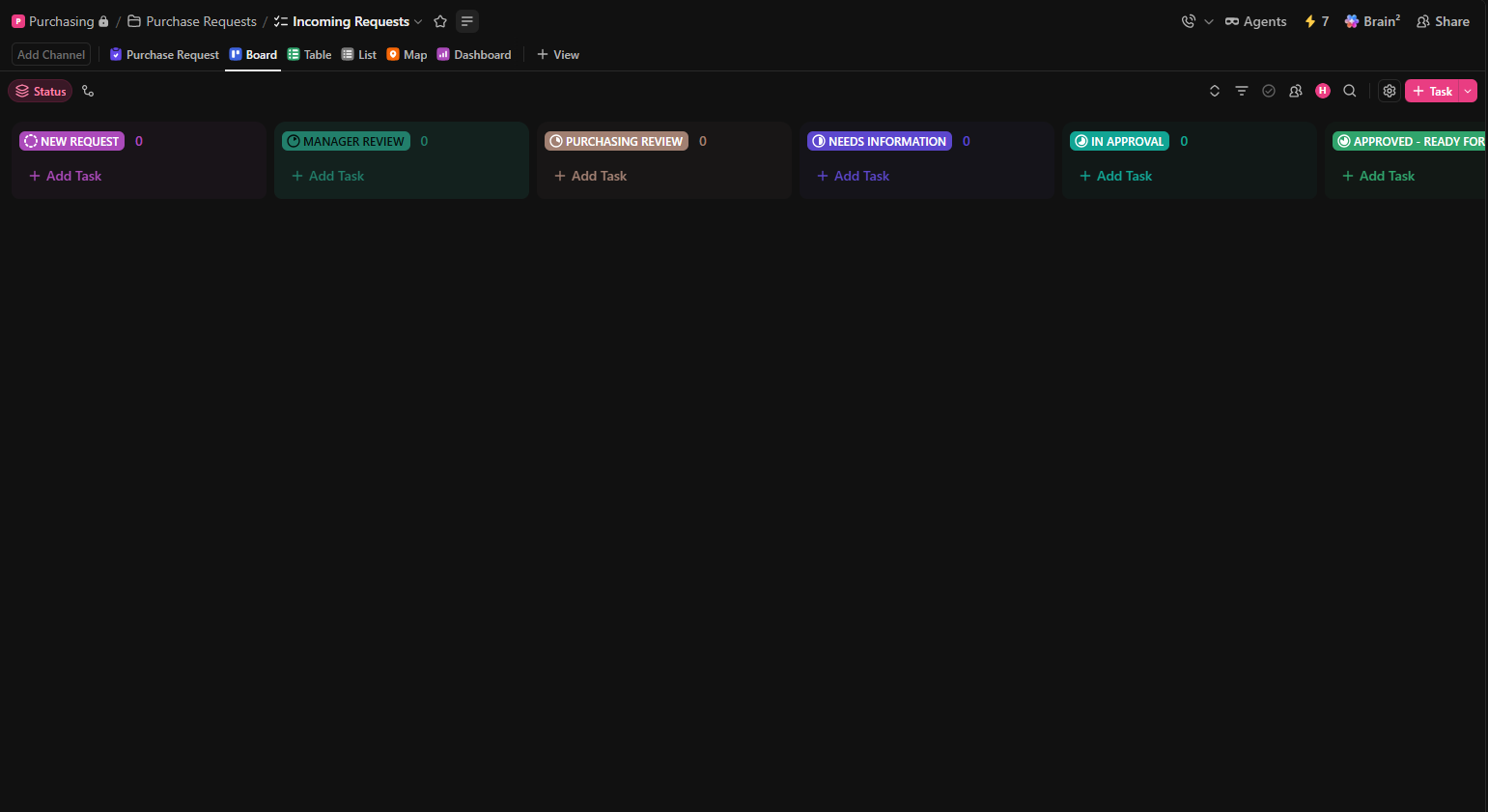
¶ 📸 SCREENSHOT 1 — The Incoming Requests board
---
¶ Where Your Work Lives
Everything is in the Purchasing space → Purchase Requests → Incoming Requests list.
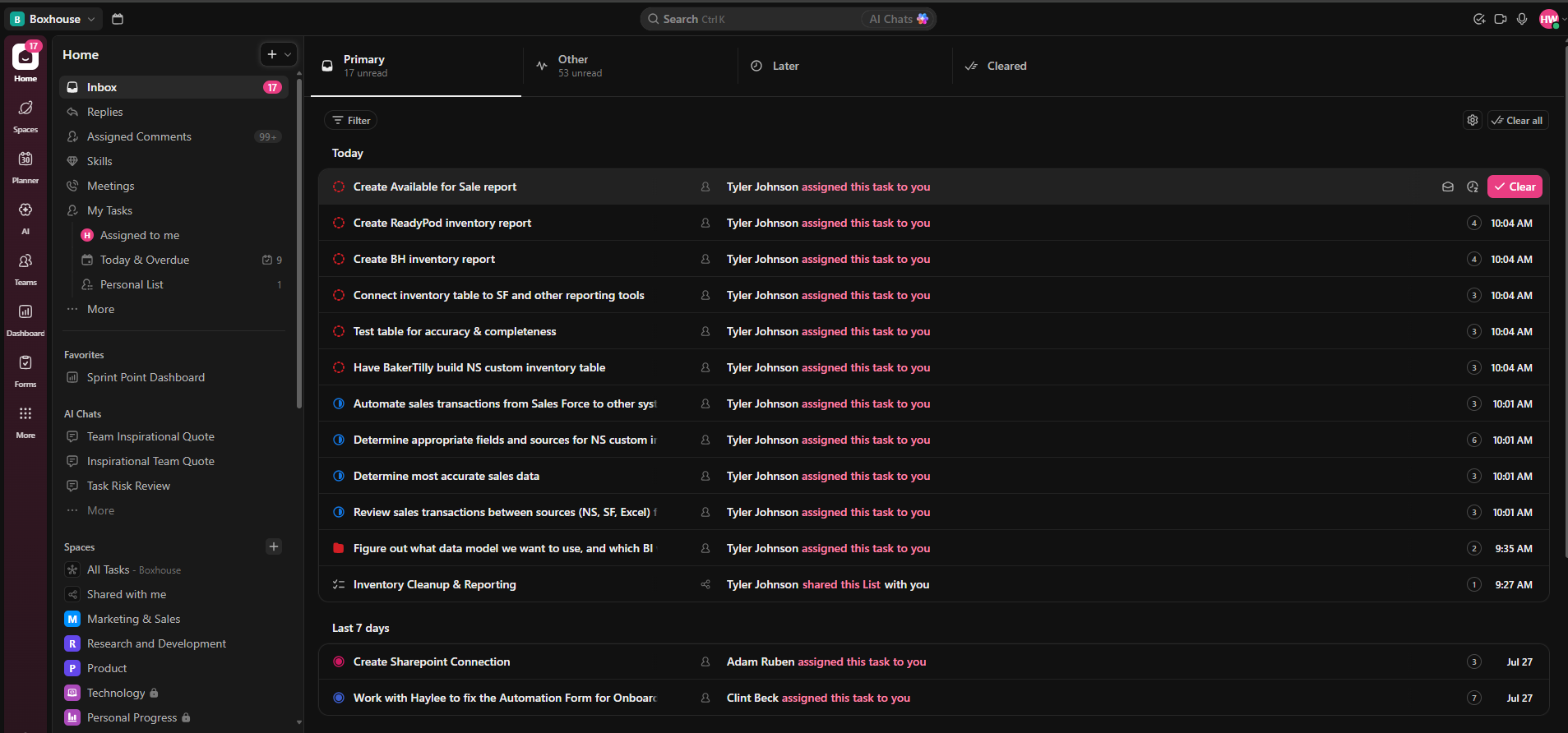
Anything that needs you is assigned to you and will show up in your ClickUp Notifications (the bell) and your Home. You don't have to go hunting — if it's your turn, it comes to you.
¶ 📸 SCREENSHOT 2 — Your notifications / Home
---
¶ Understanding the statuses
You'll mostly care about three, but here's the full picture so nothing is a mystery:
- Purchasing Review → it's your turn to review. (Action needed)
- In Approval → it's climbing to a higher approver because of the dollar amount. (Nothing for you yet)
- Approved – Ready for PO → fully approved, ready for you to create the PO. (Action needed)
- Ordered → the PO has been created in NetSuite. (Done — no action)
¶ ✅ Moment 1 — Review a Request
When: the request is at Purchasing Review and assigned to you.
What to do:
- Open the task and give it a look — vendor, amount, GL code, justification.
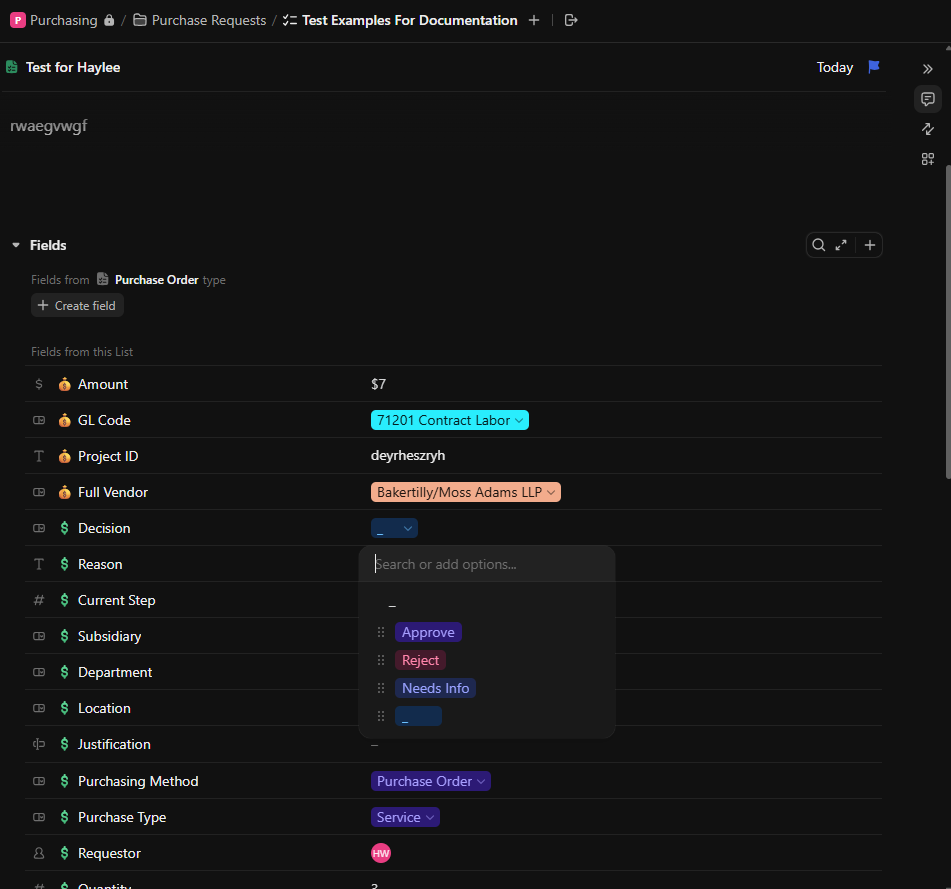
- Scroll to the Decision field.
- Pick one:
- Approve → sends it onward (to a higher approver if the amount requires one, or straight to Approved – Ready for PO if you're the last stop).
- Needs Info → bounces it back to the requester so they can answer your question. Leave a comment saying what you need.
- Reject → stops the request.
That's the entire action. Once you set Decision, the system moves the request on its own — you don't change the status or reassign anything.
¶ 📸 SCREENSHOT 3 — The Decision field on a task
---
💡 Tip: If you choose Needs Info, add a comment on the task explaining what's missing — the requester sees it when it bounces back.
¶ ✅ Moment 2 — Create the PO
When: the request is fully approved and sitting at Approved – Ready for PO.
What to do:
- Open the task.
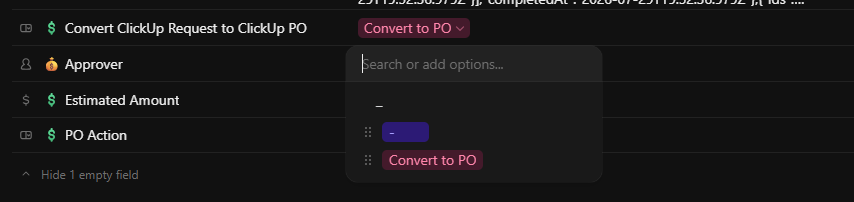
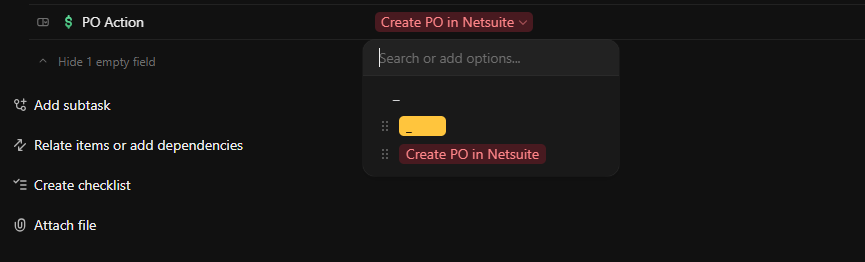
- Set the PO Action field to Create PO in Netsuite.
- That's it — wait a few seconds.
What the system does automatically:
- Creates the purchase order in NetSuite (as Pending Approval),
- Flips the task to Ordered, and
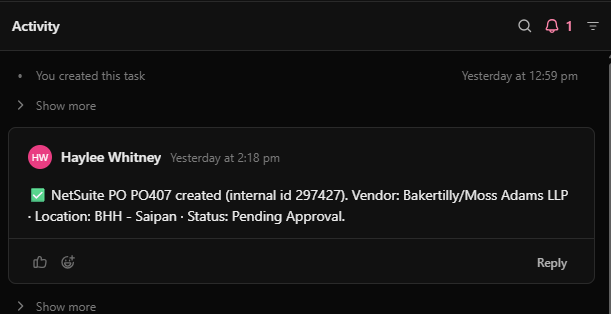
- Posts a comment on the task with the new PO number.
You never touch NetSuite — setting the field triggers everything.
¶ 📸 SCREENSHOT 4 — The PO Action Fields
¶ 📸 SCREENSHOT 5 — The confirmation comment
¶ What happens automatically (not your job)
- Routing — each request goes to the right approvers based on amount, department, and location.
- Reminders — approvers who sit on a request get nudged for you.
- PO creation — NetSuite PO is built and the PO number is written back onto the task.
¶ Reminders & nudges
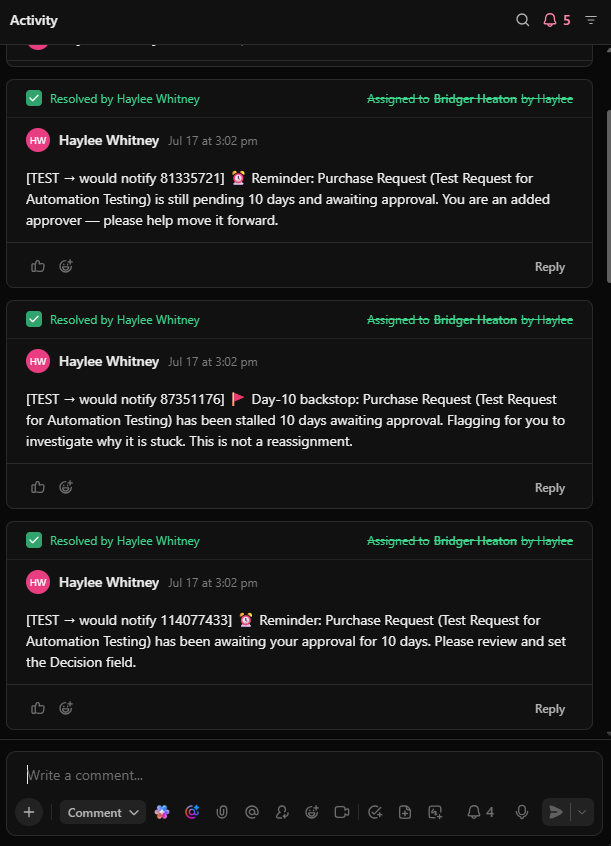
If a request is waiting on you, the system will send you a reminder comment — after about a day, then a couple times a day until you act. Nothing is wrong; it's just a friendly poke. Set the Decision (or PO Action) and the reminders stop.
¶ 📸 SCREENSHOT 6 — Example reminder comment
---
¶ Double-safe: no accidental duplicate POs
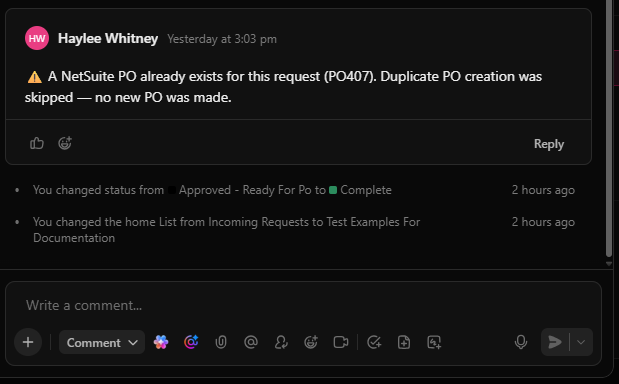
If you accidentally set Create PO in Netsuite twice on the same request, don't worry — the system catches it, makes no second PO, and posts a comment letting you know a PO already exists.
¶ 📸 SCREENSHOT 7 — "PO already exists" comment
¶ Quick troubleshooting
| What you see | What it means / what to do |
|---|---|
| A request is assigned to me | It's your turn — set Decision (or PO Action if it's Approved – Ready for PO). |
| I set PO Action but nothing happened after a minute | Give it a few seconds; if still nothing, comment and tag Haylee. |
| "A PO already exists" comment appeared | Normal — a PO was already made. No action. |
| I'm getting reminder pings | Something's waiting on you. Set the field to clear it. |
| Something looks stuck or wrong | Leave a comment on the task and tag Haylee. |
Questions, or anything acting weird? Comment on the task and tag Haylee — happy to help!